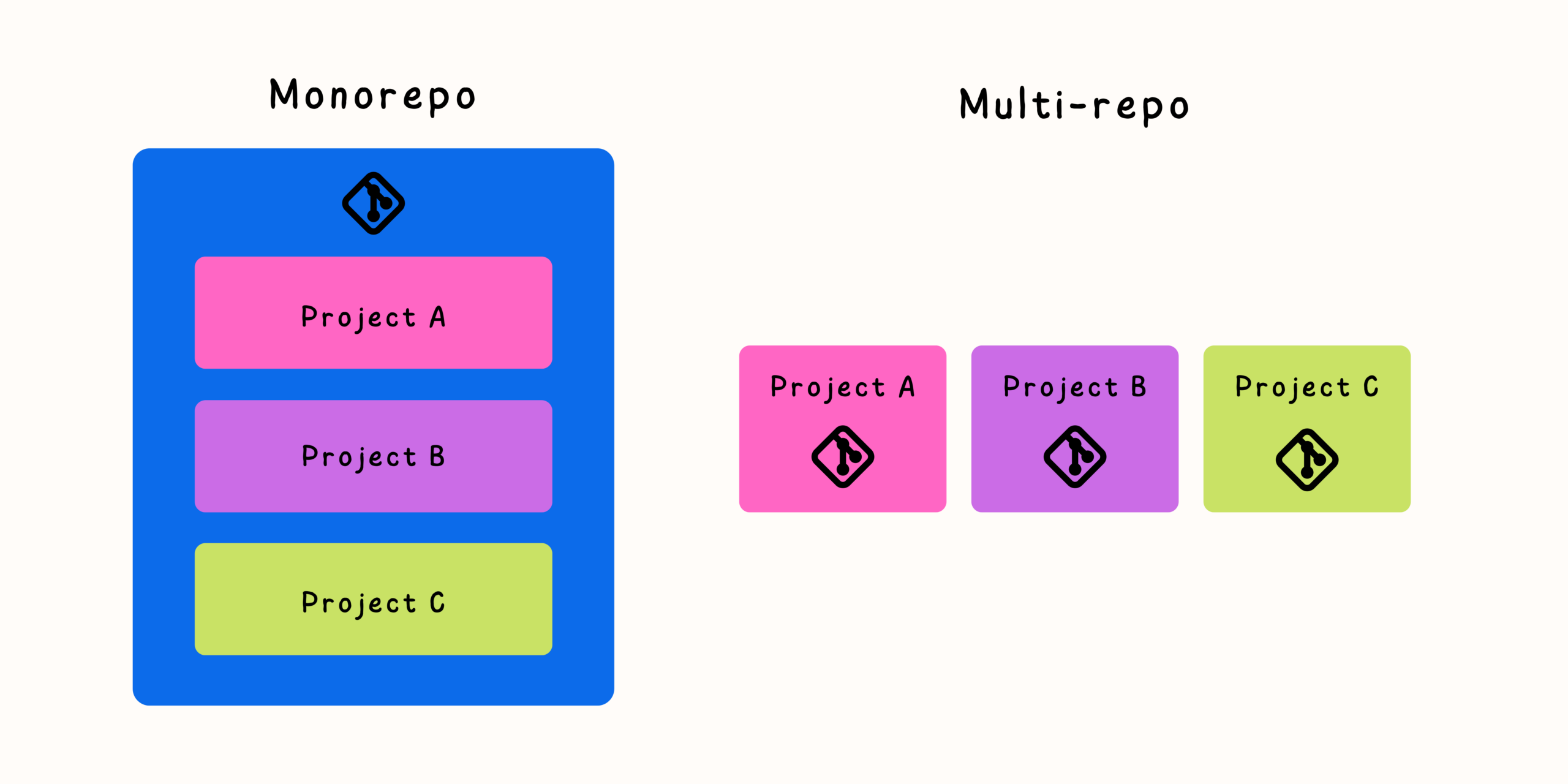
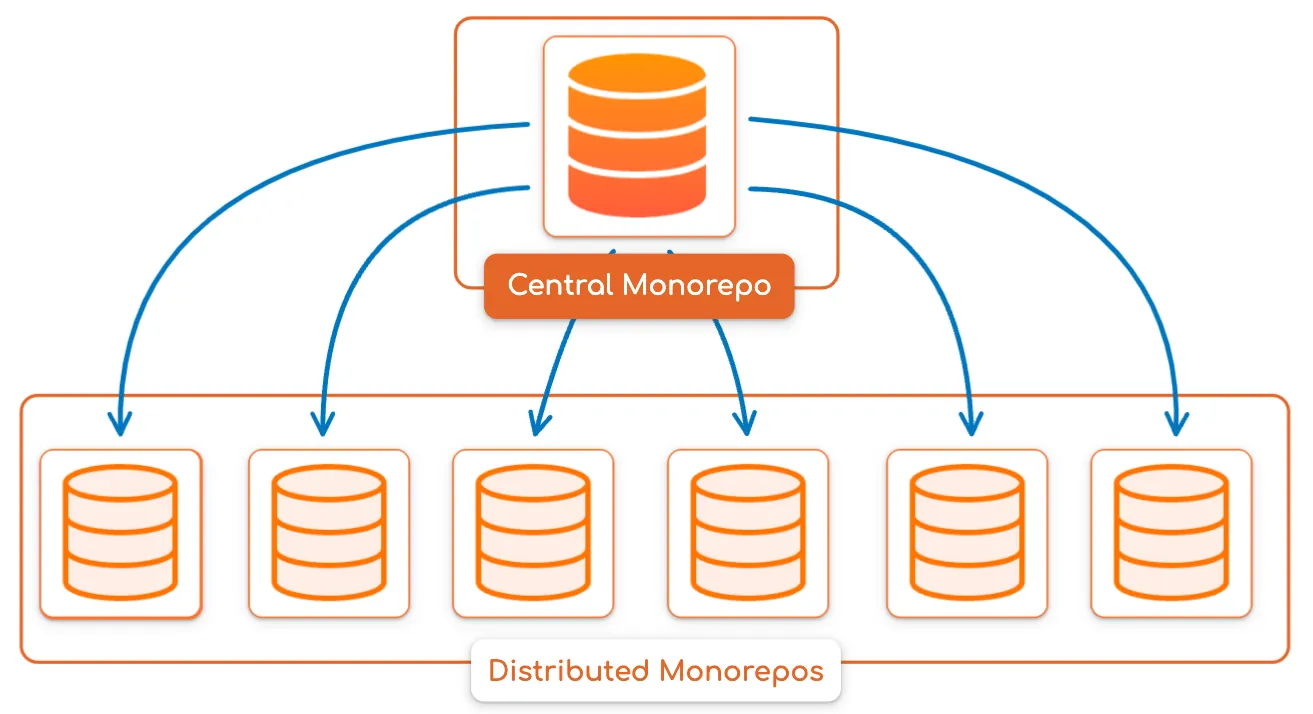
Monorepositories have changed the way many engineering teams organize and deliver software. By keeping multiple applications, services, libraries, and tools inside a single Git repository, teams gain better visibility, easier collaboration, and the ability to make coordinated changes across projects.
However, a monorepo introduces a new challenge: how should teams manage versioning?
In a traditional multi-repository environment, each repository usually has its own version history and release process. In a monorepo, hundreds of components may share one Git history while still requiring different release cycles, ownership models, and dependency strategies.
A successful monorepo requires a thoughtful approach to versioning. Without clear rules, teams can struggle with unclear releases, dependency confusion, and difficulty understanding which changes affect which projects.
Why Versioning Becomes More Complex in a Monorepo
A monorepo combines many projects into one repository, but those projects do not always evolve at the same speed.
For example:
company-platform/

├── applications/
│   ├── web-app
│   └── mobile-app
│
├── packages/
│   ├── ui-library
│   ├── authentication-sdk
│   └── shared-utils
│
└── services/
    ├── payments
    └── notifications
Each component may have different needs:
- The UI library may release weekly.
- A backend service may deploy daily.
- A mobile application may release monthly.
- Internal tools may rarely change.
A good versioning strategy must support both shared development and independent delivery.
Common Monorepo Versioning Strategies
There are several approaches teams use to manage versions inside a monorepo.
The most common strategies include:
- Fixed versioning
- Independent versioning
- Workspace-based versioning
- Release trains
- Git-based version tracking
Each approach has advantages and trade-offs.
Strategy 1: Fixed Versioning
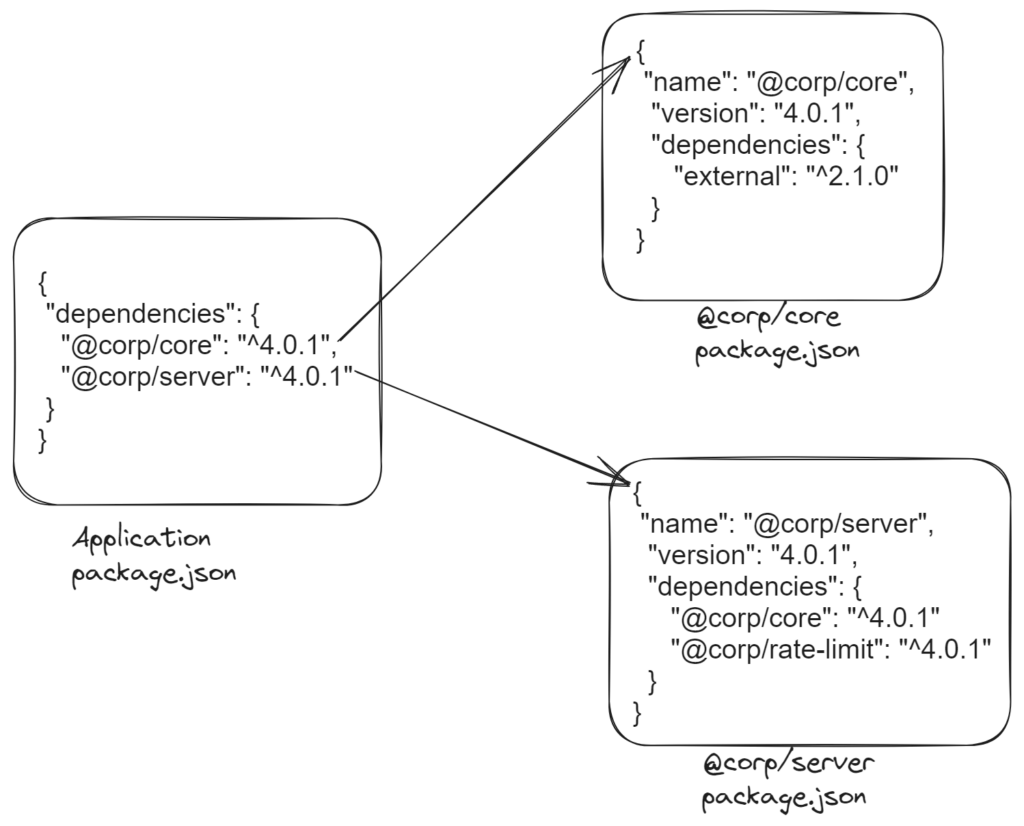
Fixed versioning means all projects inside the monorepo share the same version number.
For example:
platform v4.0.0

├── web-app v4.0.0
├── api v4.0.0
├── ui-library v4.0.0
└── tools v4.0.0
A release updates the entire repository version.
Advantages of Fixed Versioning
This approach is simple to understand.
Benefits include:
- Easy release management
- Clear repository state
- Simple dependency relationships
- Straightforward deployment tracking
A specific repository version represents the entire system.
When Fixed Versioning Works Well
Fixed versions are useful when:
- Projects are tightly connected.
- Releases happen together.
- Components are deployed as one product.
- Compatibility between projects is critical.
Examples include:
- Full-stack applications
- Enterprise platforms
- Integrated software suites
Limitations of Fixed Versioning
The downside is that every change can appear as a repository-wide release.
A small update to one component may require:
platform v4.1.0
even if only one package changed.
This can create unnecessary releases and version noise.
Strategy 2: Independent Versioning
Independent versioning gives each package or application its own version lifecycle.
Example:
ui-library        v3.5.0
authentication-sdk v2.1.0
mobile-app        v8.0.0
web-app           v5.2.0
The monorepo contains many independently versioned projects.
Advantages of Independent Versioning
This approach provides:
- Flexible releases
- Clear ownership
- Smaller version changes
- Better alignment with product boundaries
A team can release a library without creating unnecessary releases for unrelated applications.
When Independent Versioning Works Well
It is useful when:
- Teams own separate components.
- Packages are consumed independently.
- Projects have different release schedules.
Examples include:
- Internal developer platforms
- Shared component libraries
- Large organizations with multiple products
Challenges of Independent Versioning
The trade-off is increased management complexity.
Teams must track:
- Which versions depend on each other
- Which packages need updates
- Compatibility between releases
Dependency management becomes more important.
Strategy 3: Workspace-Based Versioning
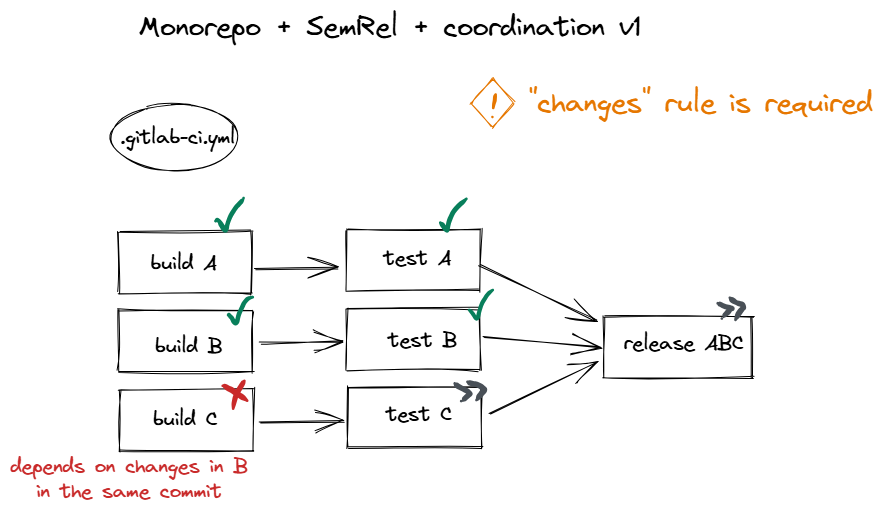
Many modern monorepos use workspace systems that understand relationships between packages.
A workspace can manage:
- Shared dependencies
- Package relationships
- Build order
- Version updates
Example:
packages/

├── ui-components
├── design-tokens
└── frontend-utils
The workspace understands that:
ui-components
depends on
design-tokens
Benefits of Workspace Versioning
Workspaces provide:
- Automated dependency linking
- Faster local development
- Consistent installations
- Better dependency visibility
They are especially popular in JavaScript and TypeScript ecosystems but similar concepts exist elsewhere.
Strategy 4: Release Trains
A release train groups changes into scheduled releases.
Instead of releasing whenever a component changes, teams release on a predictable schedule.
Example:
Every Tuesday:
- Build release
- Run tests
- Publish packages
- Deploy services
Advantages of Release Trains
Benefits include:
- Predictable delivery
- Easier planning
- Coordinated testing
- Reduced release chaos
This works well for large organizations with many teams.
Challenges
Release trains require:
- Strong automation
- Clear ownership
- Good testing coverage
Without these, scheduled releases can become bottlenecks.
Managing Dependencies Inside a Monorepo
A monorepo simplifies some dependency problems but does not eliminate them.
Teams still need to manage relationships between components.
Use Explicit Dependencies
Projects should clearly declare what they depend on.
Avoid hidden relationships based on:
- Shared folders
- Undocumented assumptions
- Direct file imports across boundaries
Explicit dependencies make systems easier to understand.
Track Dependency Graphs
A dependency graph shows relationships between projects.
Example:
web-app
 |
 v
ui-library
 |
 v
design-tokens
Dependency graphs help teams:
- Understand impact
- Optimize builds
- Identify ownership
- Plan changes
Automate Affected Builds
A monorepo should not rebuild everything after every change.
Instead:
- Developer changes package A.
- Tool identifies affected projects.
- Only required tests run.
- Relevant deployments execute.
This keeps large repositories efficient.
Team Ownership in Monorepositories
One of the biggest misconceptions about monorepos is that shared access means shared responsibility.
A successful monorepo still requires clear ownership.
Define Ownership Boundaries
Each area should have responsible maintainers.
Example:
/packages/ui
Owner: Design Systems Team

/services/payments
Owner: Payments Team

/apps/mobile
Owner: Mobile Team
Ownership prevents unclear responsibilities.
Use Code Review Rules
Teams should define:
- Required reviewers
- Approval requirements
- Change ownership
- Protected areas
A developer should be able to contribute across the repository while respecting team expertise.
Avoid Creating Silos Inside the Monorepo
A monorepo should improve collaboration, not recreate separate repositories inside one folder.
Healthy practices include:
- Shared documentation
- Cross-team communication
- Common tooling
- Clear contribution processes
Versioning and Release Automation
Automation is essential for scalable monorepo versioning.
Useful automation includes:
- Detecting changed projects
- Generating release notes
- Updating versions
- Publishing packages
- Creating deployment artifacts
A typical automated workflow:
- Developer merges code.
- System analyzes affected projects.
- Required versions are calculated.
- Packages are published.
- Applications are deployed.
Automation reduces manual release work.
Common Monorepo Versioning Mistakes
Treating Every Project the Same
Different components may need different release strategies.
Ignoring Dependency Relationships
A package change may affect many consumers.
Using Manual Version Updates
Manual processes quickly become unreliable.
Releasing Without Ownership
Every release should have responsible maintainers.
Creating Unclear Rules
Teams need documented expectations for:
- Version changes
- Breaking releases
- Deprecation
- Ownership
Choosing the Right Versioning Model
Consider these questions:
Do Projects Release Together?
If yes, fixed versioning may work well.
Do Teams Own Independent Products?
If yes, independent versioning is usually better.
Are Shared Packages Published Externally?
If yes, package-based versioning is often required.
Do Many Teams Commit Daily?
If yes, strong automation and ownership models become essential.
Final Thoughts
Versioning in a monorepository is not just a technical problem—it is a coordination challenge between code, teams, and release processes.
Fixed versioning provides simplicity. Independent versioning provides flexibility. Workspace systems and automation provide the tools needed to manage complexity at scale.
The best monorepo strategy depends on how teams build and deliver software. Successful organizations create clear versioning rules, automate repetitive processes, define ownership boundaries, and make dependencies visible.
A well-managed monorepo does more than store code in one place. It creates a development environment where teams can collaborate efficiently while maintaining the control and reliability needed for large-scale software delivery.


Related Posts