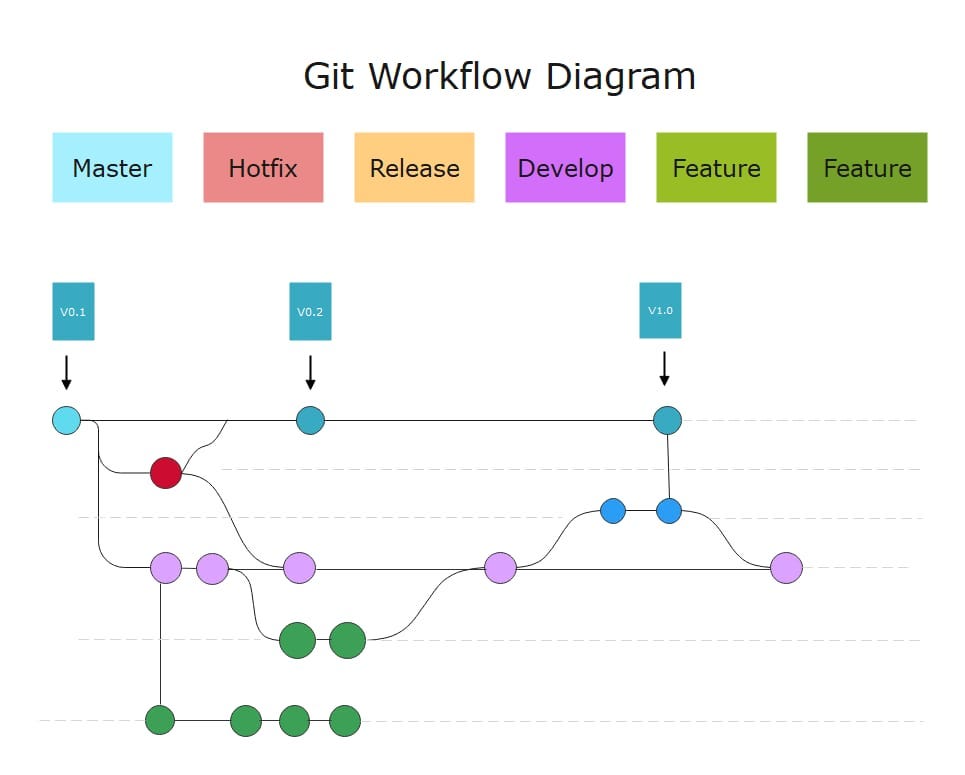
Git works exceptionally well for small teams, but large engineering organizations face a different set of challenges. When hundreds of developers contribute to the same codebase, simple workflows can quickly become difficult to manage.
Large teams need more than basic Git commands. They need clear collaboration patterns that define how developers create changes, review code, manage releases, and coordinate work across teams.
A successful Git workflow balances three important goals:
- Developer speed — teams should be able to deliver changes quickly.
- Code quality — changes should be reviewed and tested properly.
- System stability — production releases should remain predictable.
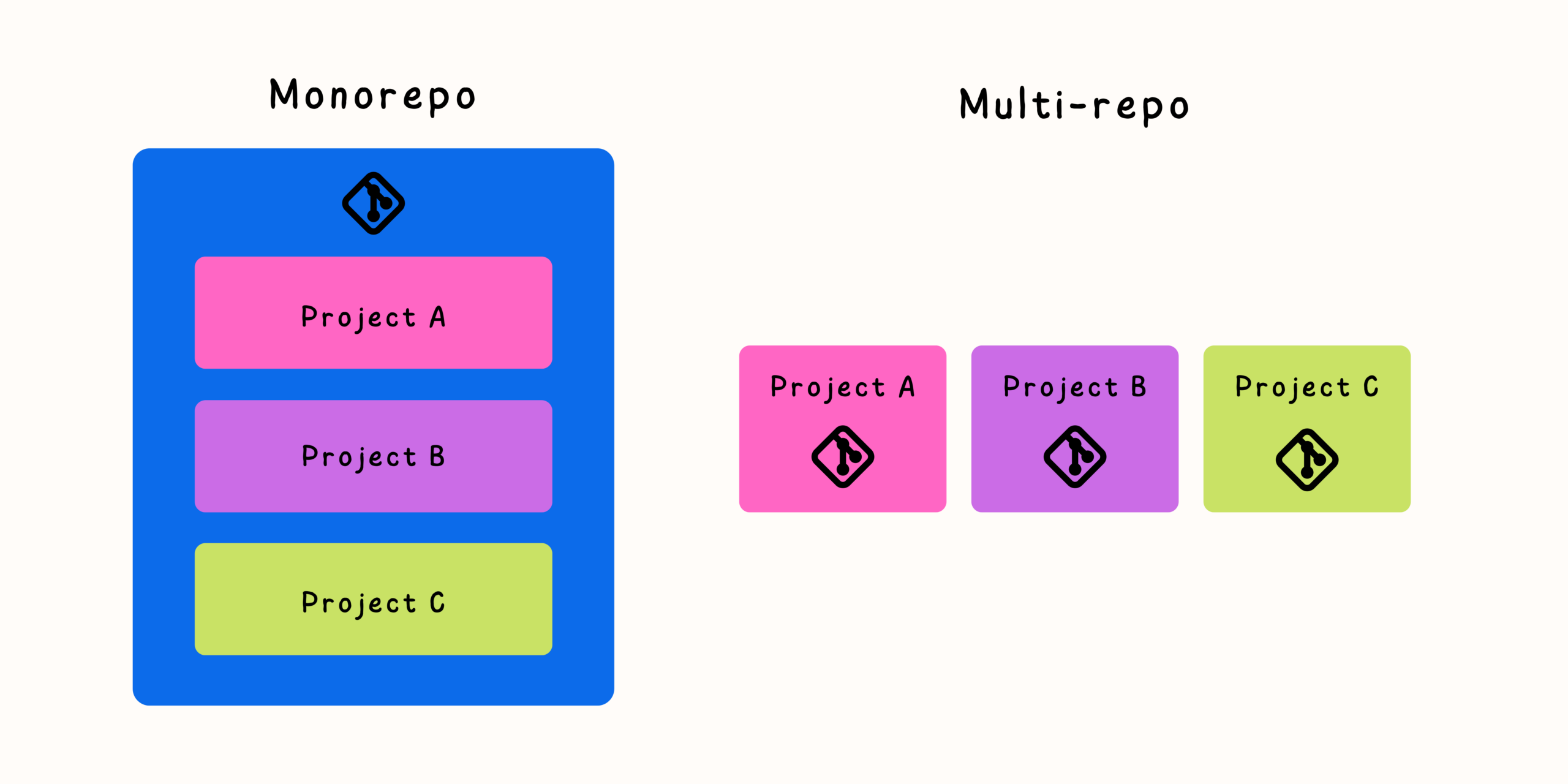
Whether an organization uses a monorepository or multiple repositories, the right Git workflow creates structure without slowing down innovation.
Why Git Workflows Become Challenging at Scale
A small team may work with a simple process:
- Create a branch.
- Make changes.
- Open a pull request.
- Merge into the main branch.
This works well until the number of contributors increases.
Large teams encounter additional challenges:
- Hundreds of simultaneous branches
- Conflicting changes
- Long-running development efforts
- Multiple release versions
- Different team ownership areas
- Complex testing requirements
Without clear rules, teams may experience:
- Merge conflicts
- Slow reviews
- Broken builds
- Unclear ownership
- Difficult releases
A scalable Git workflow is designed to reduce these problems before they appear.
Choosing the Right Branching Strategy
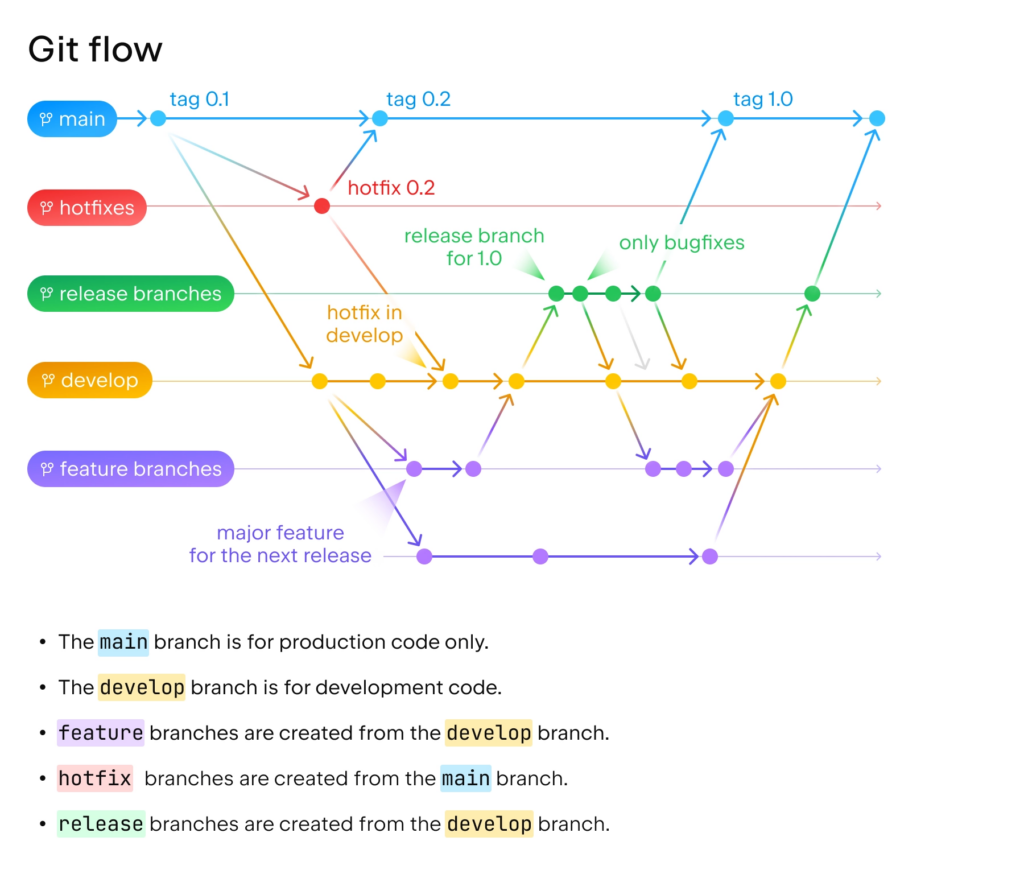
Branching strategy defines how teams organize development work.
There is no universal solution. Different organizations choose different models depending on their release process and team structure.
Common approaches include:
- Trunk-based development
- GitHub Flow
- Git Flow
- Release branch models
- Environment-based branching
Trunk-Based Development
Trunk-based development focuses on keeping the main branch continuously healthy.
Developers typically:
- Create short-lived branches.
- Make small changes.
- Run automated tests.
- Merge quickly.
Example:
main
 |
 ├── feature-login
 |
 ├── bugfix-payment
 |
 └── feature-search
Branches usually exist for hours or a few days rather than weeks.
Advantages of Trunk-Based Development
Benefits include:
- Fewer merge conflicts
- Faster integration
- Continuous delivery support
- Easier collaboration
- Less branch management overhead
It works especially well for teams practicing:
- Continuous integration
- Automated testing
- Frequent releases
Challenges
Trunk-based development requires:
- Strong automated testing
- Good code review practices
- Feature flags for incomplete work
Teams must avoid merging unstable changes into the main branch.
GitHub Flow
GitHub Flow is a lightweight branching model built around pull requests.
The workflow:
- Create a branch from main.
- Commit changes.
- Open a pull request.
- Review and test.
- Merge into main.
- Deploy.
Example:
main
 |
 └── feature-user-profile
          |
          v
      Pull Request
          |
          v
        main
Advantages
GitHub Flow is popular because it is simple.
Benefits include:
- Easy onboarding
- Clear review process
- Good support for continuous delivery
- Minimal branch management
It works well for many web applications and modern development teams.
Git Flow
Git Flow uses more structured branch types:
main
 |
 ├── develop
 |
 ├── feature/*
 |
 ├── release/*
 |
 └── hotfix/*
Typical branches include:
- Feature branches
- Development branch
- Release branches
- Production branches
Advantages
Git Flow provides:
- Clear release organization
- Support for scheduled releases
- Separation between development and production
Challenges
For large teams, Git Flow can become complicated.
Problems include:
- Long-lived branches
- Frequent merge conflicts
- Delayed integration
- Difficult synchronization
Many modern teams have moved toward simpler workflows.
Pull Requests as a Collaboration System
Pull requests are not just a way to merge code. In large teams, they are a communication mechanism.
A good pull request provides:
- Context
- Technical explanation
- Testing information
- Review discussion
- Documentation updates
Keep Pull Requests Small
Large pull requests create problems:
- Longer reviews
- More missed issues
- Higher merge conflict risk
A better approach is:
- Break large changes into smaller pieces.
- Review incrementally.
- Merge frequently.
Small changes are easier to understand and safer to deploy.
Code Review Practices for Large Teams
Code review quality becomes increasingly important as teams grow.
Define Review Expectations
Teams should establish:
- Who reviews changes
- How many approvals are required
- What reviewers should focus on
- Expected review timelines
Clear expectations prevent delays.
Separate Code Style From Technical Review
Automated tools should handle:
- Formatting
- Linting
- Basic static analysis
Human reviewers should focus on:
- Architecture
- Maintainability
- Business logic
- Security concerns
This makes reviews more valuable.
Encourage Constructive Feedback
Effective reviews should focus on improving code, not criticizing developers.
Good feedback explains:
- Why a change matters
- What risks exist
- Possible alternatives
The goal is better software, not simply approval.
Managing Code Ownership at Scale
Large teams need clear responsibility boundaries.
Ownership models help answer:
- Who maintains this code?
- Who approves changes?
- Who handles problems?
Common approaches include:
- Ownership files
- Team-based review rules
- Repository permissions
- Maintainer lists
Example:
/services/payments
Payments Team

/packages/ui
Frontend Platform Team

/infrastructure
DevOps Team
Ownership becomes especially important in monorepositories.
Handling Merge Conflicts in Large Teams
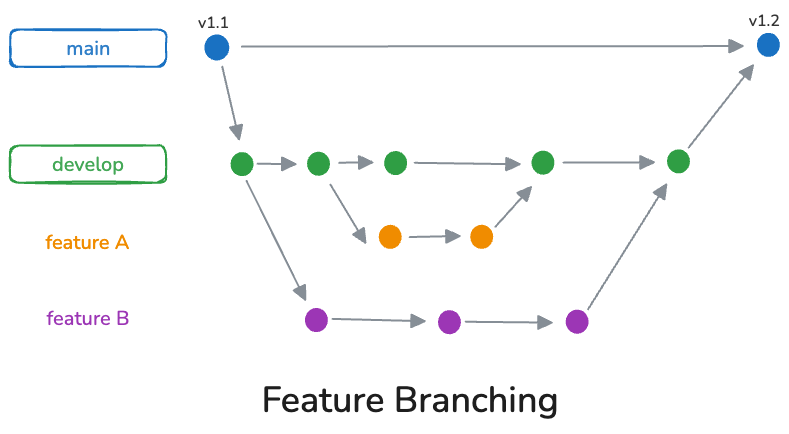
Merge conflicts are a natural part of collaborative development.
However, teams can reduce them.
Keep Branches Short-Lived
The longer a branch exists, the more likely conflicts become.
Merge Frequently
Regular synchronization keeps branches closer to the main branch.
Make Smaller Changes
Small commits are easier to integrate.
Avoid Unnecessary Refactoring
Large formatting changes or unrelated cleanup can create unnecessary conflicts.
Release Management in Large Teams
Large teams often need structured release processes.
Common approaches include:
Continuous Deployment
Every validated change can reach production automatically.
Works well with:
- Strong testing
- Feature flags
- Monitoring
Scheduled Releases
Teams collect changes and release periodically.
Useful for:
- Enterprise software
- Coordinated product launches
Release Branches
Teams maintain stable release lines while development continues.
Useful when supporting multiple versions.
Feature Flags and Incomplete Work
Large teams cannot always wait until a feature is complete before merging.
Feature flags allow teams to merge code without immediately exposing functionality.
Example:
if new_checkout_enabled:
    show_new_checkout()
else:
    show_old_checkout()
Benefits include:
- Smaller branches
- Faster integration
- Safer releases
- Easier experimentation
CI/CD Requirements for Large Git Teams
A scalable Git workflow depends heavily on automation.
Important CI/CD capabilities include:
- Automated testing
- Build validation
- Security scanning
- Deployment automation
- Dependency checks
A typical workflow:
- Developer opens pull request.
- Automated checks run.
- Reviewers approve changes.
- Code merges.
- Deployment pipeline begins.
Automation allows teams to move quickly without sacrificing reliability.
Common Git Workflow Mistakes
Creating Long-Lived Feature Branches
Long branches increase integration problems.
Using Manual Testing as the Main Safety Check
Automation provides faster and more consistent feedback.
Requiring Too Many Review Approvals
Excessive approval requirements slow development.
Ignoring Ownership
Unclear responsibility creates bottlenecks.
Treating All Teams the Same
Different teams may need different workflows within shared guidelines.
Building a Scalable Git Culture
Tools alone do not create successful collaboration.
Large teams need shared engineering habits:
- Commit frequently
- Write meaningful commit messages
- Review changes carefully
- Document decisions
- Communicate breaking changes
- Maintain healthy branches
A Git workflow is ultimately a team agreement about how software moves from an idea to production.
Final Thoughts
Git workflows for large teams require more than choosing a branching model. They require thoughtful processes around collaboration, ownership, reviews, automation, and releases.
Modern engineering organizations often favor lightweight approaches such as trunk-based development combined with strong CI/CD and effective code review practices.
The best workflow is not the one with the most rules. It is the one that allows many developers to work together efficiently while keeping the codebase stable.
As teams grow, successful Git practices create alignment between developers, reduce unnecessary friction, and help organizations deliver reliable software at scale.
Related Posts