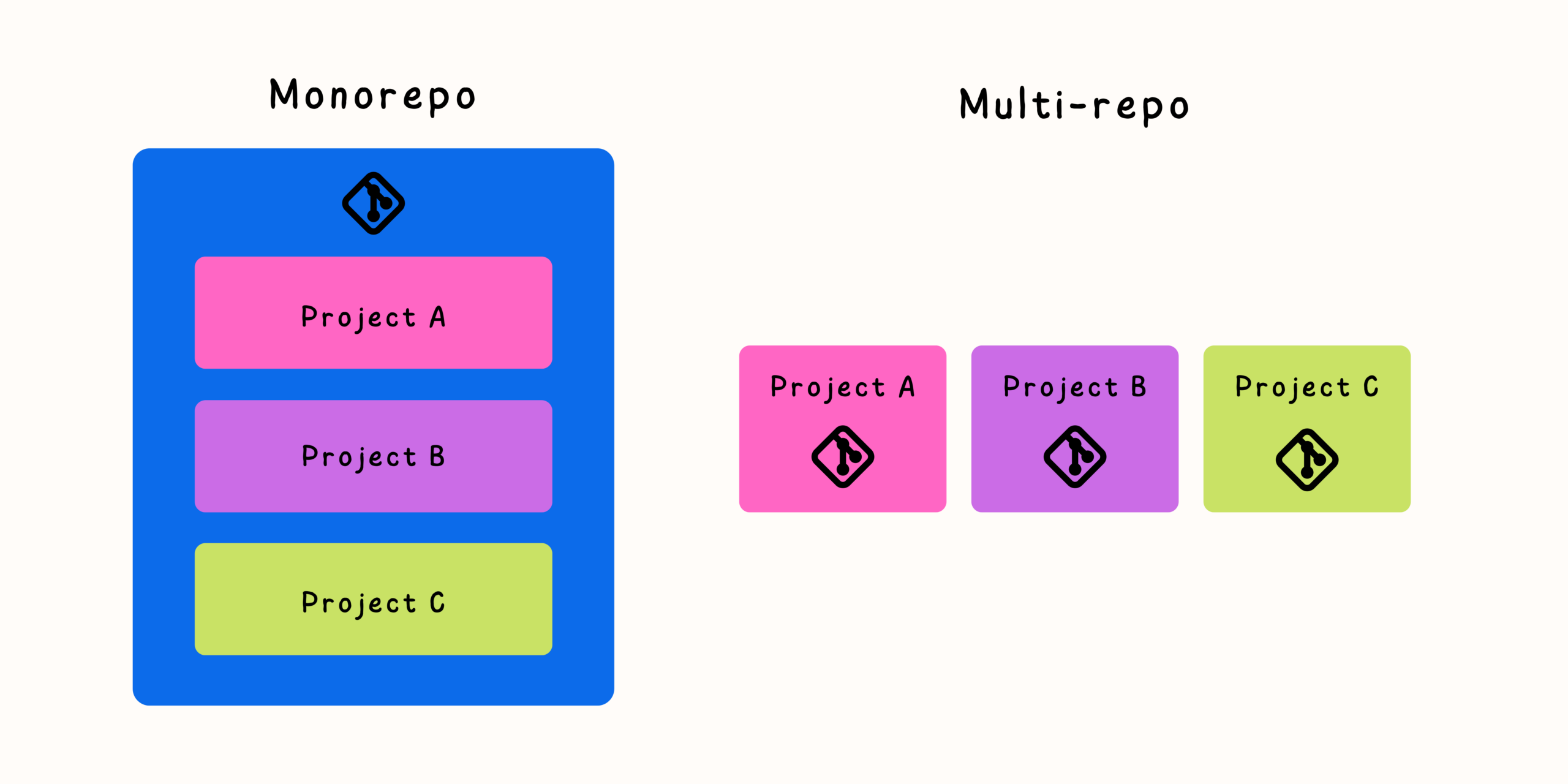

As software systems grow, many teams eventually encounter the limitations of a multi-repository architecture. What starts as a clean separation of projects can become increasingly difficult to manage as dependencies grow, teams collaborate more closely, and changes frequently span multiple repositories.
A monorepository can solve many of these challenges by bringing related projects into a single source of truth. However, migrating from multiple repositories to a monorepo is not simply a matter of moving files. It is a major engineering change that affects Git history, development workflows, CI/CD pipelines, permissions, and team collaboration.
A successful migration requires careful planning, gradual execution, and a strategy that keeps developers productive throughout the transition.
Why Teams Move From Multiple Repositories to a Monorepo
Multi-repository architectures provide clear boundaries, but those boundaries can become obstacles when projects are tightly connected.
Common problems that lead teams toward monorepos include:
- Shared libraries becoming difficult to maintain
- Frequent cross-repository changes
- Repeated configuration files
- Complex dependency updates
- Slow large-scale refactoring
- Difficult onboarding for new developers
A monorepo can help by providing:
- A single source of truth
- Atomic changes across projects
- Simplified dependency management
- Shared development tools
- Improved code visibility
- Faster collaboration between teams
The goal is not simply to create a larger repository. The goal is to reduce unnecessary coordination overhead.
Evaluate Whether a Monorepo Is the Right Choice
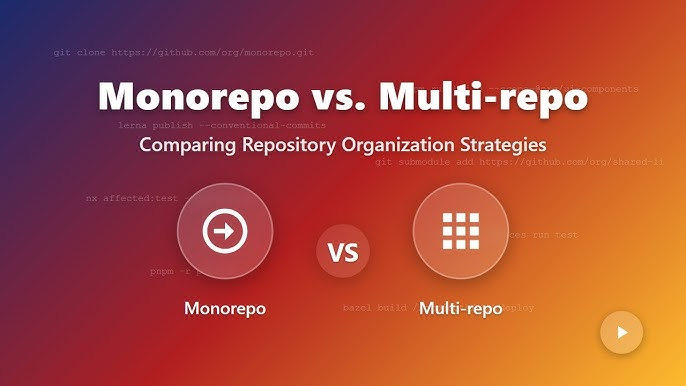
Before migration, teams should confirm that a monorepo actually solves their problems.
A monorepo is usually beneficial when:
- Multiple projects change together frequently.
- Teams share many internal libraries.
- Developers need visibility across applications.
- Large refactoring is common.
- Consistent tooling is valuable.
A monorepo may not be the best choice when:
- Projects are completely independent.
- Teams have strict isolation requirements.
- Products have unrelated release cycles.
- Repository size would create significant operational problems.
Migration should solve existing workflow issues, not introduce unnecessary complexity.
Step 1: Analyze Your Current Repository Landscape
The first migration step is understanding what exists today.
Create an inventory of:
- Current repositories
- Code ownership
- Dependencies
- Build systems
- Deployment processes
- CI/CD workflows
- Shared libraries
- External integrations
A dependency map can help reveal relationships between repositories.
For example:
frontend-app
     |
     v
backend-api
     |
     v
shared-library
     |
     v
authentication-service
This analysis helps determine the best structure for the future monorepo.
Step 2: Design the Monorepo Structure
A monorepo should have a clear organization before code is moved.
A common structure looks like:
company-platform/
├── apps/
│   ├── web/
│   ├── mobile/
│   └── admin/
├── services/
│   ├── api/
│   └── worker/
├── packages/
│   ├── ui-components/
│   ├── shared-utils/
│   └── configuration/
├── infrastructure/
└── documentation/
The exact structure depends on the organization, but good monorepos usually separate:
- Applications
- Shared packages
- Services
- Tools
- Infrastructure
Avoid simply placing all repositories side by side without a clear model.
Step 3: Preserve Git History During Migration
One of the biggest concerns during migration is losing valuable Git history.
A good migration should preserve:
- Original commits
- Authors
- Commit dates
- File history
- Blame information
Git provides tools for importing repositories while maintaining history.
Common approaches include:
- Git subtree merge
- Git filter-repo
- Git fast-import workflows
For example, a repository can be rewritten into a subdirectory while preserving its commit history.
The goal is that developers can still answer questions like:
- Why was this code changed?
- Who introduced this behavior?
- When did this feature appear?
Step 4: Standardize Development Tools
A monorepo becomes valuable when teams share common workflows.
Before or during migration, standardize:
- Code formatting
- Linting
- Testing commands
- Build processes
- Local development setup
- Dependency management
Developers should have a predictable experience regardless of which project they work on.
Examples:
npm run test
npm run build
npm run lint
or:
make test
make build
Consistency reduces friction.
Step 5: Reorganize Dependencies
Dependencies are one of the most important migration considerations.
Before migration:
application A
   |
   uses
   |
shared-library repository
After migration:
monorepo/

apps/application-a
packages/shared-library
Teams should decide whether shared code should become:
- Internal packages
- Direct workspace dependencies
- Shared modules
Avoid copying code during migration. The purpose of a monorepo is to create stronger connections, not more duplication.
Step 6: Update Build and CI/CD Systems
CI/CD is often the most challenging part of monorepo migration.
A traditional multi-repo pipeline may look like:
Repository A
     |
     Build
     |
     Deploy
A monorepo pipeline needs to understand what changed.
For example:
Change in frontend/
        |
        v
Run frontend tests only

Change in backend/
        |
        v
Run backend pipeline
Effective monorepo CI systems often use:
- Dependency graphs
- Affected project detection
- Incremental builds
- Build caching
- Parallel execution
Without these optimizations, every change may trigger unnecessary work.
Step 7: Establish Code Ownership Rules
A common concern with monorepos is that everyone can access everything.
Access alone does not determine responsibility.
Teams should define:
- Code ownership files
- Required reviewers
- Maintainer responsibilities
- Contribution guidelines
For example:
/apps/mobile
Mobile team

/services/payment
Payments team

/packages/ui
Design systems team
Clear ownership prevents confusion while maintaining visibility.
Step 8: Migrate Gradually Instead of All at Once
A complete migration does not always need to happen in a single step.
A gradual approach reduces risk.
A possible migration path:
- Create the new monorepo.
- Move one low-risk project.
- Validate workflows.
- Migrate shared libraries.
- Move related applications.
- Update CI/CD.
- Archive old repositories.
This approach allows teams to learn and adjust before moving critical systems.
Managing Developer Workflow During Migration

A migration succeeds only if developers can continue working effectively.
Provide clear guidance for:
- Cloning the new repository
- Running projects locally
- Creating branches
- Opening pull requests
- Building applications
- Running tests
Avoid forcing teams to discover new processes through trial and error.
Good documentation is one of the most important migration tools.
Common Migration Mistakes to Avoid
Moving Code Without Planning Structure
A monorepo is not just a folder containing old repositories.
The structure should reflect how teams build and maintain software.
Ignoring CI/CD Complexity
A larger repository requires smarter build strategies.
Removing Repository Boundaries Without Ownership Rules
Visibility is useful, but responsibility must remain clear.
Migrating Everything Immediately
Large migrations create unnecessary risk.
Failing to Communicate Changes
Developers need time to adapt to new workflows.
Useful Tools for Monorepo Migration
Different ecosystems use different tools, but common categories include:
Git History Tools
Useful for preserving commit history:
- Repository rewriting tools
- Subtree workflows
- Import utilities
Build Management Tools
Useful for large repositories:
- Dependency graph analysis
- Incremental builds
- Task caching
Workspace Management Tools
Useful for shared dependencies:
- Package workspaces
- Internal package management
- Shared configuration systems
CI/CD Automation Tools
Useful for scalable pipelines:
- Change detection
- Parallel execution
- Automated testing
The right tooling depends on the technology stack and team size.
Measuring Migration Success
A successful migration should improve engineering workflows.
Useful measurements include:
- Faster feature development
- Reduced dependency conflicts
- Easier onboarding
- Shorter release cycles
- Fewer synchronization issues
- Improved developer satisfaction
The goal is not simply having fewer repositories. The goal is making software delivery more efficient.
Final Thoughts
Migrating from multiple repositories to a monorepository is a significant engineering decision, but it can dramatically improve collaboration when done correctly.
The biggest benefits come from reducing unnecessary boundaries between related projects. Developers can make coordinated changes faster, share code more effectively, and understand the system as a whole.
However, a monorepo is not automatically better. Success depends on thoughtful organization, strong tooling, clear ownership, and careful migration planning.
The best migrations do not disrupt development—they gradually create a simpler, more connected workflow where teams can build and ship software with less friction.


Related Posts